How I Built Neon Orbit, a 3D Game Universe in Three.js
My Playground page used to be a grid of game cards with games like Snake, 2048, Tic Tac Toe and a dino runner. They worked fine, but even I would open one, play for a minute and close the tab, so I wanted to build something that I would actually enjoy opening.
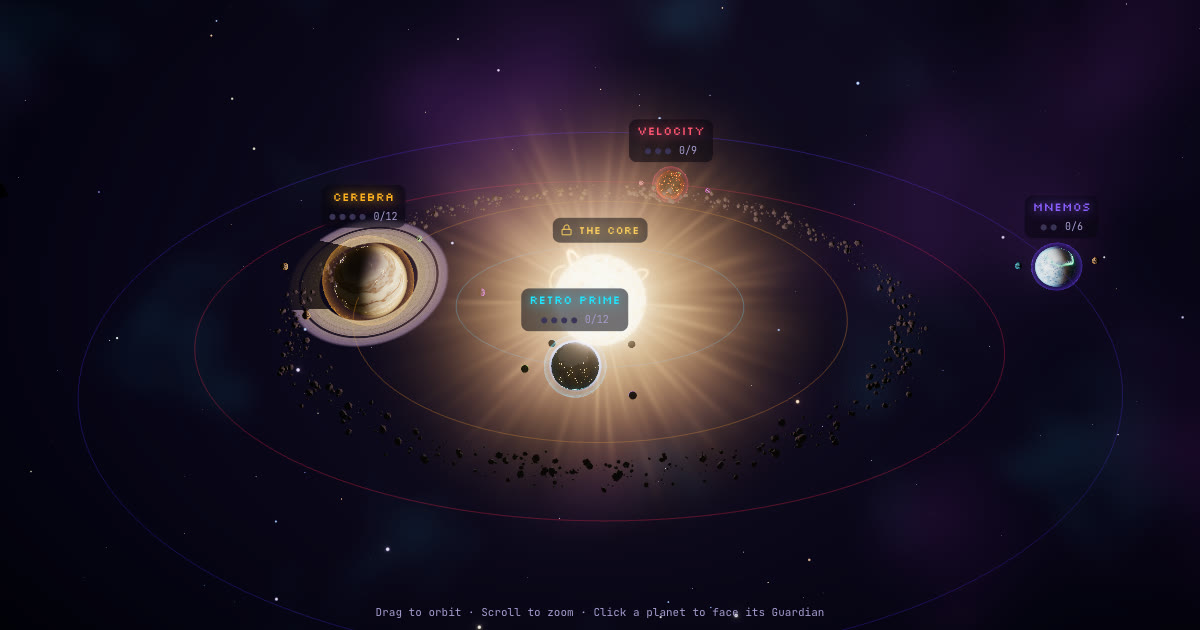
So over a couple of days, I turned the grid into a small universe. The Playground now opens with Luma, a Portal Keeper who greets you and opens a portal and when you go through it you land in Neon Orbit, a 3D solar system where each planet holds a set of games and a character who talks to you.
I should mention upfront that I built this for fun, so it is not an optimized version. I didn't profile frame times or chase bundle size, which means this is not a three.js performance guide. What I can share is what it took to build, where AI coding tools helped me and where they really didn't.
In this article, I am going to go through the universe, the story, the voices, Luma and the bugs that ate most of my time.
What is Neon Orbit?
Neon Orbit is a 3D solar system of 14 browser games, built with Next.js, three.js and React Three Fiber.
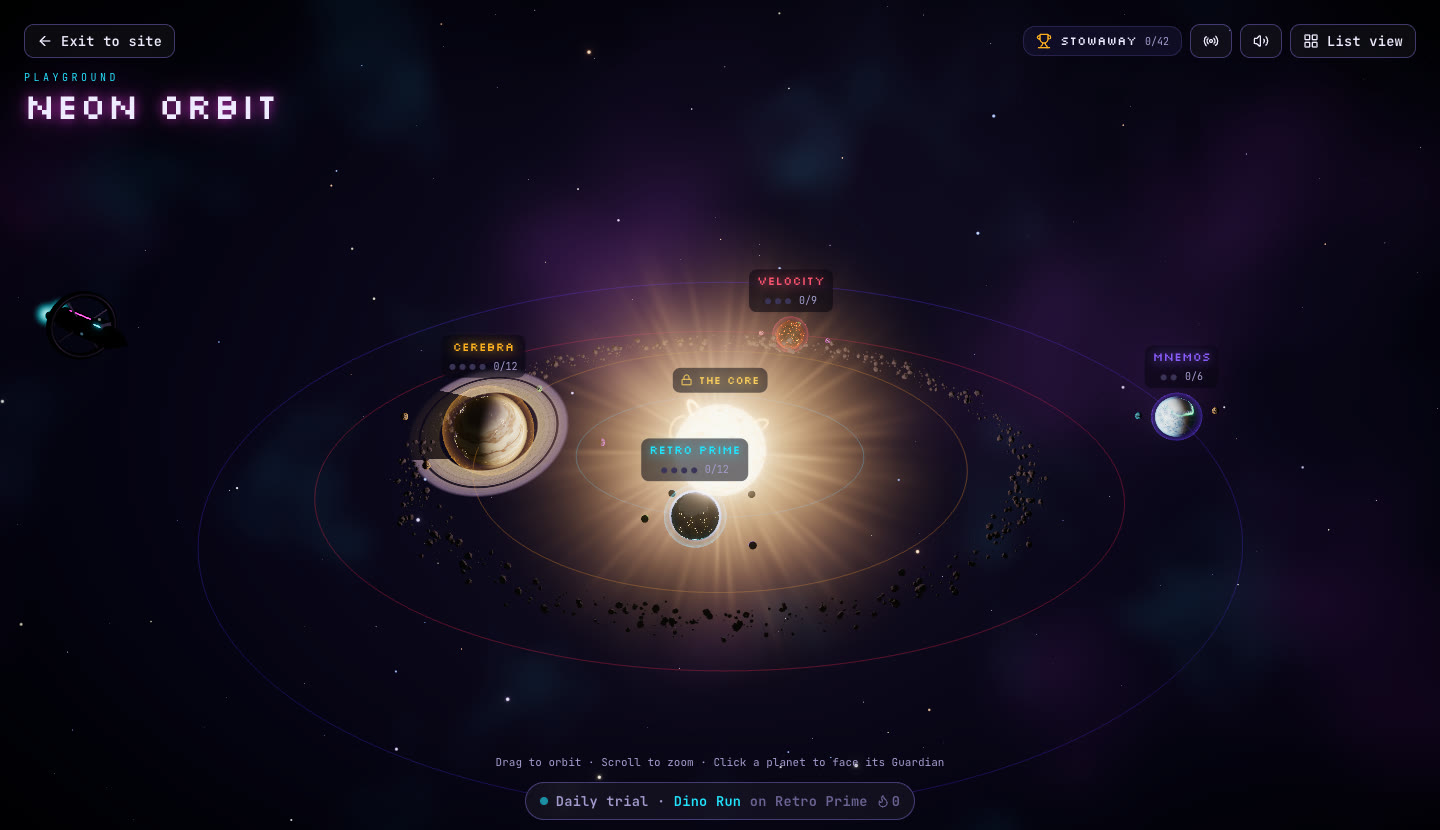
You play an alien whose pod drifted into the system. Each of the four planets has a Guardian and you take a planet by passing all of its games with at least a bronze medal. Once you take all four planets, the sun opens up for a final boss.
| Planet | Guardian | Games |
|---|---|---|
| Retro Prime (classic arcade) | Glitch | Snake, Dino Run, Stardust Maze, Nebula Breaker |
| Cerebra (puzzles) | Oracle Synapse | Sudoku, 2048, Void Sweep, Tic Tac Toe |
| Velocity (reflex) | Blaze Vex | Meteor Storm, Reflex, Code Typer |
| Mnemos (memory) | Echo | Constellations, Signal |
| The sun | Sol | The Core, a 4-round final boss |
There is no backend, no login and no database because your progress is saved in localStorage. I chose this on purpose since it means there are no accounts to build or secure and the cost is that your progress does not follow you between devices, which I'm happy to accept for a side project.
The stack
- Next.js for the site, with each game on its own route.
- three.js through React Three Fiber and drei for the 3D scenes.
- Custom GLSL shaders for the planets, the sun and the portal.
- Bloom post-processing for the neon look.
- Kokoro, a small open text-to-speech model, for the voices. It runs on my laptop and not in the browser.
- Blender to fix up Luma's model.
- Claude Code and Codex for a lot of the typing, although I will get to where they fell short further below.
Games first, 3D later
Before writing any 3D, I rebuilt the games as plain pages that all report scores the same way. Every game only says when a run started and what the score was when it ended and one shared layer handles everything else like the best score, the medal, the sound and the Guardian's reaction.
This is the decision I'm most glad about, because the story layer never needs to know how Snake or Sudoku work and adding a new game stays a small change. If I had started with the 3D scene instead, I think the games would have ended up tangled into it.
The story itself is just data, with every line of dialogue and every rule sitting in one file. A planet is taken when all of its games are passed and the sun unlocks when all planets are taken. When you come back to the universe, it compares what you've earned with what it last showed you and plays out anything new, so the camera flies to the planet, the Guardian gives up and a beam of light shoots out of it.
The 3D solar system
The planets are just spheres and all the detail comes from fragment shaders. I gave each planet one signature feature so that you can tell them apart from far away.
- Retro Prime has city lights snapped to a pixel grid and a scan line sweeping over it.
- Cerebra has lightning flickering through its storm bands.
- Velocity is a cracked crust floating on magma.
- Mnemos has glowing fractures and an aurora at each pole.
Your progress shows up in 3D too, since a ring around each planet fills in as you pass its games and the planets you haven't taken sit inside a faint shield that thins out as you go.
A jump to hyperspace
I'm a big Star Wars fan, so I couldn't build a space game without a jump to hyperspace. When you first arrive in Neon Orbit (and every time you come through Luma's portal) the stars stretch into long blue and white streaks inside a glowing tunnel, the camera's field of view widens to sell the speed and then everything snaps back to points with a white flash as you drop out over the solar system.
The streaks are a few hundred line segments that move with the camera, so they always rush past you no matter where you are looking and the tunnel is an open cylinder around the camera with a shader that slides thin lanes of light towards you. I reuse the same streaks, shorter and fainter, whenever the camera makes a long flight between planets, which keeps the fast moves feeling like travel instead of a plain camera pan. The full jump only plays once per visit because a two second intro gets old quickly when you are hopping in and out of games.
Not everything I tried made it into the final version, for example I added comets at one point, but they made the scene feel busy without adding anything to it, so I removed them. I also tried a depth-of-field blur to focus on the selected planet and because it renders at half resolution it turned the stars into blotchy discs, so I removed it as well.
The bug that made the screen go black
This bug cost me the most time, because every now and then the whole canvas went black without any error and without anything in the console to point me in a direction.
The cause turned out to be pow() in GLSL, which returns NaN when its base is negative. My noise functions can drift slightly past ±1, so once in a while a base went negative. A single NaN pixel is invisible on its own, but bloom blurs neighbouring pixels together and NaN plus anything is NaN, so that one bad pixel kept spreading until the whole screen was black.
The fix is to clamp every pow() base like this.
glslspec = pow(max(dot(N, H), 0.0), 80.0);
If you use bloom with custom shaders and your screen randomly goes black, check your pow() calls first. I wish someone had told me this before I spent an evening on it (even with Claude).
Planet labels
I started with drei's <Html> component for the planet names, but it crashed under React 19 when switching between planets. Positioning a plain div from the planet's screen coordinates every frame turned out to be less work than debugging it.
Giving the characters voices
The browser's built-in speech synthesis works, but it sounds like an old GPS and I wanted the Guardians to sound like actual characters.
So every line is recorded ahead of time with a script that collects all the dialogue, speaks each line with Kokoro, runs it through an ffmpeg filter chain per character (a radio band-pass for the mothership, bit-crushing for the arcade Guardian and a long icy reverb for the memory one) and saves an mp3.
Each clip is named from a hash of its text, so when I edit a line only that line gets re-recorded. If I forget to re-record, the game falls back to browser speech for that one line instead of breaking and this is what made the voice pipeline painless to keep up to date.
The annoying part is autoplay, because browsers block sound until you click or press a key. To work around it, the text always shows straight away and the voice starts on your first interaction.
Luma and why AI couldn't give me a 3D model
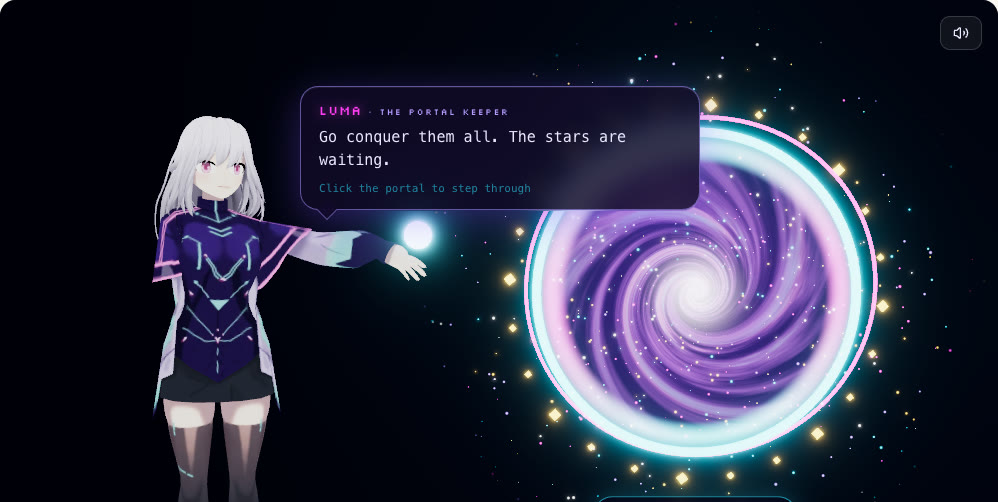
Once the universe was done, the way in was still a plain link and I wanted a character waiting at the door. This part turned out to be far harder than I expected.
Claude Code and Codex are good at three.js code and if you ask for a shader, a camera move or a particle system you usually get something that works. When I asked either of them for a character though, things fell apart and I went through four attempts before I had something I liked.
- An illustrated SVG, which was flat and looked like clip art next to a 3D portal.
- A sprite sheet in the Codex Pets format, which was better, but a 2D sprite standing in a 3D scene still looked out of place.
- A character built from code out of three.js spheres, tubes and tori, which is where I spent the most time. The AI can place primitives, but it has no real eye for proportions or faces, so every round looked like a toy robot or something mildly unsettling and each fix to one part broke another.
- A real model, where in the end I took "Cyber Girl" by kirirato from Sketchfab (CC BY 4.0) and changed it to fit my scene.
Even the last step needed work, because the model came with a broken rig where the rest pose was offset and scaled 116 times, so three.js skinned it into a mess. I used Blender to fix the rig, recolour her clothes and hair to the Neon Orbit palette, add the animations I needed (idle, talking, waving, summoning and pointing) and shrink the textures, which brought the whole model down to about 2 MB.
The fiddliest part was a pose where she keeps her hands behind her back while she talks and then brings one hand up to the portal. That took a small inverse kinematics solve (Claude helped me here) and the portal is timed to burst open as her hand arrives.
My takeaway is that AI tools are great at writing code that drives a 3D model but bad at making one, so for now the practical path is to start from an artist's model with a good licence and adapt it or create one on your own.
The portal
The portal is one fragment shader on a disc. It twists each pixel's angle more strongly near the centre, which gives the spiral arms and then layers noise, colour and particles on top. Hovering over it speeds it up and it spins hard while the camera flies through.
Any link to the games anywhere on the site opens Luma's portal first. Cmd-click, new tabs and typing the URL directly skip her, because a link you open in a new tab should never force you through an intro.
Small things that made it fun
- A daily game that is picked from the date, so everyone gets the same one and playing it every day builds a streak.
- Share cards that draw an image with your score and medal after a new record, which you can share or download.
- One mute switch for both the voices and the sound effects.
- A list view with the same games as plain cards, because not every device has WebGL and not everyone wants 3D.
What I'd do differently
- I would go straight to an existing model for the character, since I spent more time trying to get AI to build Luma than on everything else about her.
- I would clamp
pow()from day one in any shader that goes through bloom. - I would measure it, because it runs fine on my laptop and phone but I never checked how it does on a low-end Android and that is the first thing I would look at if I take this further.
Try it
You can meet Luma on the Playground or skip her and go straight into Neon Orbit. If you build something similar, I'd love to see it, so feel free to reach out.
Related Posts
Continue exploring similar topics
Spring Boot 3.x: What Actually Changed (and What Matters)
A practical look at Spring Boot 3.x features that change how you build services - virtual threads, reactive patterns, security gotchas, and performance lessons from production.

Conventional Commits Specification
The Conventional Commits specification is a lightweight convention that provides a standardized format for writing commit messages.
Java Multithreading Coding Questions for Interviews: Classic Problems and Solutions
Master the most common multithreading interview questions including Producer-Consumer, Dining Philosophers, and FizzBuzz problems with practical Java implementations.