Spring Boot 3.x: What Actually Changed (and What Matters)
If you’ve upgraded to Spring Boot 3 and felt that it’s not just “another version bump,” you’re right. Between Java 21, virtual threads, native images, and a stronger push toward observability and modularity, Spring has quietly changed how we’re expected to build and operate services.
This post isn't a feature dump but it's a practical walkthrough of what actually changes in day-to-day engineering, what's worth adopting, and what you should probably ignore for now.
Virtual Threads: When Concurrency Stops Being Infrastructure
Virtual threads are the first time in Java where concurrency stops feeling like an infrastructure problem and starts feeling like a language feature. With Java 21 and Spring Boot 3.x, you can finally stop thinking about thread pool sizes.
The traditional model was limiting: platform threads map 1:1 to OS threads, you're capped at maybe 5,000 concurrent requests before thread pool exhaustion kicks in, and you spend hours tuning pool sizes per endpoint. Virtual threads change this completely — the JVM can now schedule millions of lightweight threads, and you don't configure anything.
The setup is almost trivial:
java@Configuration public class VirtualThreadConfig { @Bean(TaskExecutionAutoConfiguration.APPLICATION_TASK_EXECUTOR_BEAN_NAME) public AsyncTaskExecutor asyncTaskExecutor() { return new TaskExecutorAdapter( Executors.newVirtualThreadPerTaskExecutor() ); } }
For I/O-bound services, this is transformative. Throughput improves, latency drops under load, and code stays simple — no reactive streams, no complex async patterns. Just normal blocking code that scales.
But here's the catch nobody mentions upfront: in one internal service, switching blindly to virtual threads actually made things worse. A third-party SDK was doing blocking file I/O inside synchronized blocks — the JVM could schedule millions of threads, but they all ended up waiting on the same lock. Thread dumps became unreadable (millions of threads), and debugging took days.
CPU-bound tasks don't benefit much either. And some older libraries still use thread-local storage in ways that break with virtual threads. Check your dependencies before flipping the switch.
Native Images: Fast Startup Isn't Always Worth It
GraalVM native compilation sounds incredible on paper: 50ms startup instead of 3 seconds, 100MB memory instead of 500MB. Perfect for serverless, right?
In practice, it's more nuanced. Build times explode from 2 minutes to 20 minutes. Reflection-heavy code breaks in subtle ways. You lose JVM observability tools like JFR profiling. And debugging production issues becomes significantly harder because you're working with a compiled binary, not bytecode.
bash# Build native image ./mvnw -Pnative native:compile # Resulting binary characteristics # Size: 50-100MB # Startup: 50-100ms # Memory: 50-100MB RSS
Native images make sense for AWS Lambda functions, CLI tools, or services that scale from 0 to N instances frequently. But for long-running services? The 3-second startup time doesn't matter, and you're trading away useful tools for marginal gains.
We tried native images on a service with a lot of Jackson custom deserializers. Half the JSON parsing broke silently in production because the reflection configuration was incomplete. Rolled back, stayed on the JVM, and haven't looked back.
If your service runs 24/7 and startup time is a non-issue, stick with the regular JVM for now. Native images are improving fast, but they're not a universal win yet.
Observability: What Finally Works Out of the Box
Once your system is observable, the next bottleneck usually isn't visibility — it's how your request model scales. But let's talk about observability first, because Spring Boot 3.x finally gets this right.
Micrometer Observability is built in, and adding comprehensive tracing to an endpoint is now a single annotation:
java@RestController public class OrderController { @GetMapping("/orders/{id}") @Observed(name = "order.fetch") public Order getOrder(@PathVariable Long id) { return orderService.findById(id); } }
You automatically get HTTP request metrics, database query traces, cache hit rates, JVM stats, and distributed tracing spans. Export to Prometheus, Grafana, Jaeger, or any OpenTelemetry backend. The killer feature is that correlation IDs now work across async boundaries — this alone has saved hours of debugging in distributed systems.
Spring MVC vs WebFlux: The Honest Conversation
Spring offers two models: traditional Spring MVC (blocking, thread-per-request) and Spring WebFlux (reactive, event loop). Every blog post tells you reactive is the future. Let me tell you why most teams shouldn't use it.
WebFlux promises better resource utilization under high concurrency, lower latency, and efficient streaming. All true. But here's what they don't mention: the learning curve is brutal, debugging asynchronous stack traces is nearly impossible, and you need a fully reactive stack (R2DBC for databases, reactive Redis, reactive everything) or you lose the benefits.
Mixing blocking and reactive code is worse than just using threads. And when something breaks in production, good luck tracing a Mono through six service hops at 2 AM.
In practice, for most teams, Spring MVC + virtual threads is the sweet spot in 2025: familiar programming model, better concurrency, fewer footguns.
java// Traditional MVC - works with JPA, JDBC, everything @RestController @RequestMapping("/api/users") public class UserController { @GetMapping("/{id}") public ResponseEntity<User> getUser(@PathVariable Long id) { return userService.findById(id) .map(ResponseEntity::ok) .orElse(ResponseEntity.notFound().build()); } }
Use WebFlux only if your application is highly I/O-bound (calling 10+ external APIs per request), you need to handle 10,000+ concurrent connections, or you're building a streaming service. And make sure your entire team is comfortable with reactive programming — it's not something you can pick up in a week.
Database Access: When JPA Becomes the Problem
Once data access is sorted, security becomes less about configuration and more about correctness. But first, let's talk about when Spring Data JPA stops being convenient and starts being a performance problem.
JPA is amazing for simple CRUD. Repository interfaces, automatic query generation, transaction management — it all just works. Until it doesn't.
The classic footgun is the N+1 query problem:
java// This looks innocent @GetMapping("/users/{id}/orders") public List<Order> getUserOrders(@PathVariable Long id) { User user = userRepository.findById(id).orElseThrow(); return user.getOrders(); // Lazy loading triggers N queries }
For a user with 100 orders, that's 100 extra database calls. Your API suddenly takes 4 seconds instead of 200ms. The fix is entity graphs:
java@EntityGraph(attributePaths = {"orders", "orders.items"}) @Query("SELECT u FROM User u WHERE u.id = :id") Optional<User> findByIdWithOrders(@Param("id") Long id);
But beyond N+1 queries, JPA has deeper issues. Complex joins make JPQL verbose and hard to optimize. Bulk operations are inefficient because JPA loads everything into memory first. And cache invalidation becomes complex quickly.
For high-throughput services, consider alternatives: jOOQ for type-safe SQL with performance control, MyBatis for direct SQL mapping, or plain JdbcTemplate for bulk operations. Don't be religious about JPA — use the right tool for the job.
Spring Security
Spring Security is powerful, but it's also one of the easiest ways to shoot yourself in the foot. Let me save you some debugging time.
JWT Validation That Only Fails in Production
JWT tokens validated fine locally. In production? 401 Unauthorized on everything. Turned out the JWT decoder was fetching the JWKS endpoint at startup, but in Kubernetes, our auth service wasn't ready yet. The decoder initialization failed silently, and every subsequent request failed.
java@Bean public JwtDecoder jwtDecoder() { return NimbusJwtDecoder .withJwkSetUri(jwksUri) .build(); }
Always fail fast and loud during startup. Add health checks. Test your initialization order in environments that actually mirror production.
CSRF Tokens and Mobile Apps
Built a mobile app that called our Spring Boot API. POST requests returned 403. The culprit? CSRF protection was enabled by default. Mobile apps don't have cookies, so CSRF tokens don't work.
The fix is to disable CSRF selectively:
javahttp .csrf(csrf -> csrf .ignoringRequestMatchers("/api/mobile/**") .csrfTokenRepository(CookieCsrfTokenRepository.withHttpOnlyFalse()) )
Or better: use JWT tokens for mobile APIs and keep CSRF for web applications.
Transaction Boundaries: The Proxy Trap
Spring uses proxies for @Transactional. That means internal method calls bypass the proxy, and you lose transaction semantics.
This code looks fine but doesn't work:
java@Service public class OrderService { @Transactional public void processOrder(Order order) { saveOrder(order); sendEmail(order); // Transaction not propagated! } @Transactional(propagation = Propagation.REQUIRES_NEW) private void sendEmail(Order order) { // This won't start a new transaction } }
The fix is to extract methods into separate services:
java@Service public class OrderService { private final EmailService emailService; @Transactional public void processOrder(Order order) { orderRepository.save(order); emailService.send(order); // Proper transaction boundary } }
Or use @TransactionalEventListener for async operations that should happen after transaction commit:
java@Async @TransactionalEventListener public void handleOrderCreated(OrderCreatedEvent event) { // Executed after transaction commits emailService.send(event.getOrder()); }
Performance: What Actually Matters
Theory says tune everything. Reality says focus on the bottlenecks.
Connection Pool Sizing
HikariCP defaults are conservative. For high-traffic APIs, you'll need more:
yamlspring: datasource: hikari: maximum-pool-size: 20 # Not 10 minimum-idle: 10 # Not 5 connection-timeout: 20000 leak-detection-threshold: 60000
Use the formula: connections = ((core_count * 2) + spindle_count). But more importantly, monitor pool utilization. If you're hitting max pool size, you either need more connections or you have slow queries.
Caching Strategy
Caching sounds great until your pods start OOMing. Cache everything without TTL or size limits, and you'll learn this the hard way:
java@Bean public CacheManager cacheManager() { return new CaffeineCacheManager() { @Override protected Cache createNativeCaffeineCache(String name) { return Caffeine.newBuilder() .maximumSize(10_000) // Always set limits .expireAfterWrite(Duration.ofMinutes(10)) // Always set TTL .recordStats() .build(); } }; }
Size limits and TTLs aren't optional — they're essential. Use distributed caching (Redis) for data that needs sharing across pods.
Async Processing
Don't make everything async. But for non-critical paths (sending emails, updating analytics, logging events), async processing keeps your API fast:
java@Async @TransactionalEventListener public void sendOrderConfirmation(OrderCreatedEvent event) { emailService.send(event.getEmail(), "Order confirmed"); analyticsService.track(event); }
User gets instant response, slow operations happen in the background.
Actuator Endpoints: Secure Them
We exposed /actuator endpoints without authentication. "It's just health checks," we thought. Until someone hit /actuator/env and got all our environment variables, including database passwords (we weren't using secrets management yet).
Always secure actuator endpoints:
yamlmanagement: endpoints: web: exposure: include: health,metrics,prometheus endpoint: health: show-details: when-authorized
Or use a separate management port not exposed publicly:
yamlmanagement: server: port: 9090 # Internal only
Microservices vs Modular Monoliths
Spring Cloud makes microservices easy: service discovery with Eureka, circuit breakers with Resilience4j, distributed config with Spring Cloud Config. But here's the thing — most applications don't need microservices.
The overhead is real: network latency between services, distributed tracing hell, deployment complexity, eventual consistency challenges. You trade operational simplicity for architectural flexibility, and most teams overestimate how much flexibility they need.
Spring Modulith is the middle ground:
java@ApplicationModule(name = "orders") public class OrderModule { @Service class OrderService { @Transactional public void createOrder(Order order) { orderRepository.save(order); events.publish(new OrderCreated(order.id())); } } } @ApplicationModule(name = "notifications") public class NotificationModule { @ApplicationModuleListener void on(OrderCreated event) { sendNotification(event.orderId()); } }
Module boundaries enforced at compile time, in-process communication (no network overhead), single deployment, easy to extract to microservices later when you actually need to.
Start with a modular monolith. Split into microservices when you have a concrete reason: team size, scaling needs, deployment independence. Not before.
Deployment: JVM vs Native
For JVM deployment, optimize the container:
dockerfileFROM eclipse-temurin:21-jre-alpine WORKDIR /app COPY target/*.jar app.jar EXPOSE 8080 ENV JAVA_OPTS="-XX:+UseZGC \ -XX:MaxRAMPercentage=75.0 \ -XX:+UseStringDeduplication" ENTRYPOINT ["sh", "-c", "java $JAVA_OPTS -jar app.jar"]
Use ZGC for low-latency requirements, tune heap based on container limits, and enable string deduplication to save memory.
For Kubernetes, always configure proper health checks:
yamllivenessProbe: httpGet: path: /actuator/health/liveness port: 8080 initialDelaySeconds: 30 readinessProbe: httpGet: path: /actuator/health/readiness port: 8080 initialDelaySeconds: 10
Liveness checks whether the app is alive. Readiness checks whether it can handle traffic. Don't confuse them.
Testing: Make It Real
Use Testcontainers for integration tests. Mocking databases is fine for unit tests, but integration tests should hit real infrastructure:
java@SpringBootTest @Testcontainers class OrderServiceIntegrationTest { @Container static PostgreSQLContainer<?> postgres = new PostgreSQLContainer<>( "postgres:15-alpine" ); @DynamicPropertySource static void configureProperties(DynamicPropertyRegistry registry) { registry.add("spring.datasource.url", postgres::getJdbcUrl); } @Test void shouldCreateOrder() { Order order = orderService.create(new CreateOrderRequest()); assertThat(order.getId()).isNotNull(); } }
Testcontainers spins up real Postgres in Docker, runs your tests, tears it down. No mocks, no fake implementations, just real integration testing.
What to Take Away
Spring Boot 3 doesn't force you to change how you build software but it rewards you if you do. The biggest wins come not from adopting every new feature, but from understanding what problem each feature is trying to solve and whether that problem actually exists in your system.
Further reading:
- Spring Boot Reference - Start here for anything not covered
- HikariCP GitHub - Essential reading for connection pool tuning
- Testcontainers - Real integration testing without infrastructure complexity
Related Posts
Continue exploring similar topics

Securing Application Secrets with HashiCorp Vault and Spring Boot
A comprehensive guide to integrating HashiCorp Vault with Spring Boot applications for secure secrets management, dynamic credential rotation, and enhanced application security.
Implementing Scheduled Emails with Quartz Scheduler in Spring Boot
A comprehensive guide to setting up Quartz Scheduler in Spring Boot applications for reliable email scheduling, with persistent job storage and clustering support.
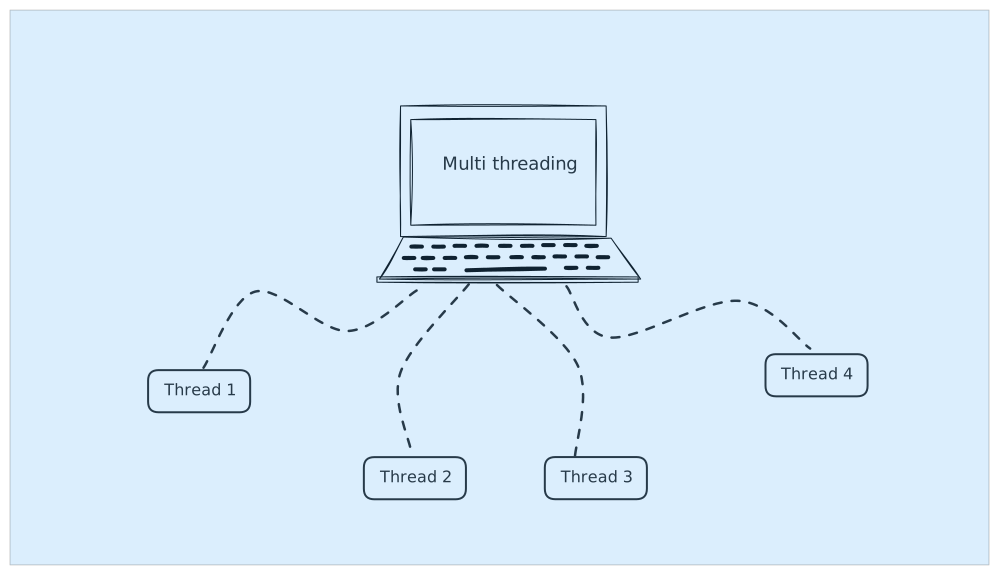
Java Multithreading Coding Questions for Interviews: Classic Problems and Solutions
Master the most common multithreading interview questions including Producer-Consumer, Dining Philosophers, and FizzBuzz problems with practical Java implementations.