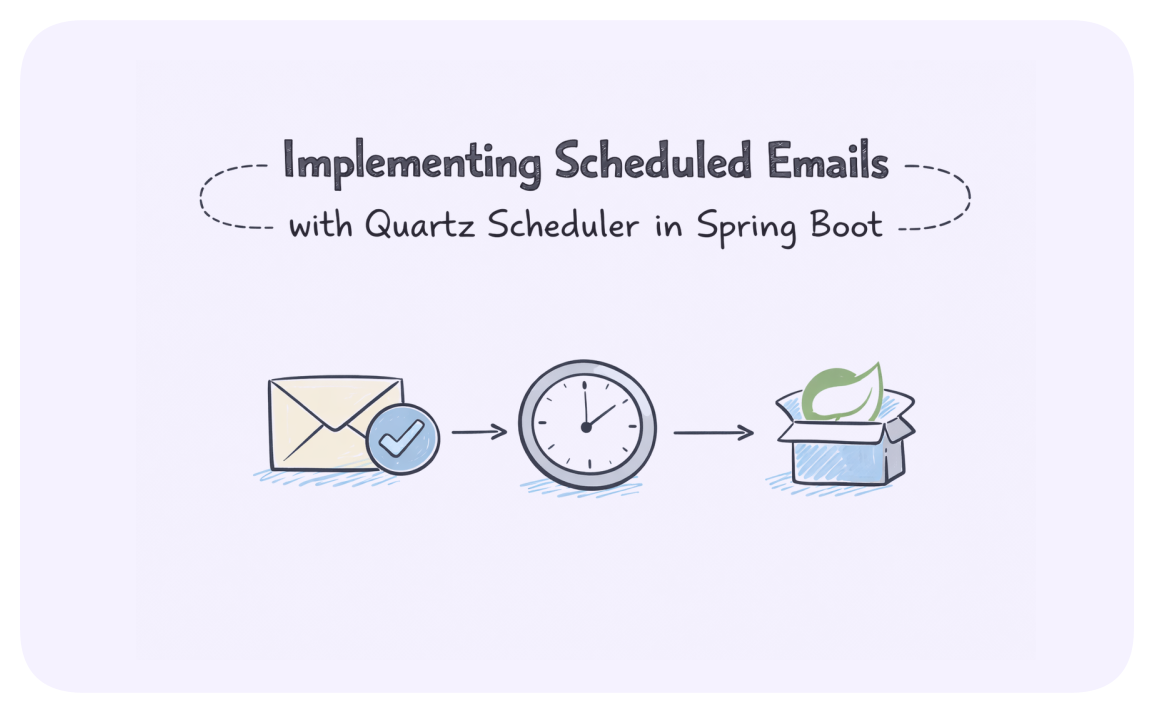
Implementing Scheduled Emails with Quartz Scheduler in Spring Boot
The Challenge: Reliable Email Scheduling in Enterprise Applications
Imagine you're building an enterprise application that needs to send thousands of emails on different schedules:
- Weekly reports every Monday at 8:00 AM
- Monthly invoices on the last day of each month
- Personalized reminders at specific times for different users
- Marketing campaigns that need to be sent at optimal times across different time zones
A simple @Scheduled annotation in Spring might work for basic scenarios, but it falls short when you need:
- Persistence of scheduled jobs across application restarts
- Dynamic scheduling based on user input or business events
- Clustering for high availability and load balancing
- Complex cron expressions and triggers
- Monitoring and management of scheduled tasks
This is where Quartz Scheduler comes in—a robust, enterprise-grade job scheduling library that integrates seamlessly with Spring Boot.
What is Quartz Scheduler?
Quartz is a feature-rich, open-source job scheduling library that can be integrated with virtually any Java application. It allows you to schedule jobs (tasks) to run at specific times, with specific frequencies, or when specific events occur.
Key features include:
- Job Persistence: Store jobs in a database to survive application restarts
- Clustering: Distribute jobs across multiple application instances
- Flexible Triggering: Cron-based, interval-based, or calendar-based scheduling
- Misfire Handling: Define what happens when a job can't execute at the scheduled time
- Job Listeners: React to job execution events
- JTA Transactions: Integrate with your application's transaction management
Setting Up Quartz Scheduler with Spring Boot
Let's build a complete email scheduling system using Spring Boot and Quartz. We'll cover:
- Setting up the project with required dependencies
- Configuring Quartz with a database for job persistence
- Creating email jobs and triggers
- Building a REST API to schedule emails
- Implementing clustering for high availability
Step 1: Project Setup
Start by creating a Spring Boot project with the necessary dependencies:
plaintext<dependencies> <!-- Spring Boot Starter --> <dependency> <groupId>org.springframework.boot</groupId> <artifactId>spring-boot-starter-web</artifactId> </dependency> <!-- Quartz Scheduler --> <dependency> <groupId>org.springframework.boot</groupId> <artifactId>spring-boot-starter-quartz</artifactId> </dependency> <!-- Database --> <dependency> <groupId>org.springframework.boot</groupId> <artifactId>spring-boot-starter-data-jpa</artifactId> </dependency> <dependency> <groupId>com.h2database</groupId> <artifactId>h2</artifactId> <scope>runtime</scope> </dependency> <!-- Email --> <dependency> <groupId>org.springframework.boot</groupId> <artifactId>spring-boot-starter-mail</artifactId> </dependency> <!-- Lombok for reducing boilerplate code --> <dependency> <groupId>org.projectlombok</groupId> <artifactId>lombok</artifactId> <optional>true</optional> </dependency> </dependencies>
Step 2: Configuring Quartz with Database Persistence
Configure Quartz to store jobs and triggers in a database by adding the following to your application.properties:
plaintext# Quartz Configuration spring.quartz.job-store-type=jdbc spring.quartz.jdbc.initialize-schema=always spring.quartz.properties.org.quartz.jobStore.driverDelegateClass=org.quartz.impl.jdbcjobstore.StdJDBCDelegate spring.quartz.properties.org.quartz.jobStore.isClustered=true spring.quartz.properties.org.quartz.scheduler.instanceId=AUTO spring.quartz.properties.org.quartz.jobStore.useProperties=true # Database Configuration spring.datasource.url=jdbc:h2:mem:quartzdb spring.datasource.username=sa spring.datasource.password= spring.datasource.driver-class-name=org.h2.Driver spring.jpa.hibernate.ddl-auto=update spring.h2.console.enabled=true # Email Configuration spring.mail.host=smtp.gmail.com spring.mail.port=587 spring.mail.username=your-email@gmail.com spring.mail.password=**your-password** spring.mail.properties.mail.smtp.auth=true spring.mail.properties.mail.smtp.starttls.enable=true
For production, you would use a more robust database like PostgreSQL or MySQL instead of H2, and you would secure your email credentials properly (perhaps using HashiCorp Vault as described in another post).
Step 3: Creating the Email Job
First, let's create a model for our email:
javaimport lombok.Data; import java.io.Serializable; import java.util.List; @Data public class EmailDetails implements Serializable { private static final long serialVersionUID = 1L; private String to; private String subject; private String body; private List<String> cc; private List<String> bcc; private boolean html; }
Next, let's create our Quartz job that will send the email:
javaimport org.quartz.Job; import org.quartz.JobDataMap; import org.quartz.JobExecutionContext; import org.quartz.JobExecutionException; import org.springframework.beans.factory.annotation.Autowired; import org.springframework.mail.javamail.JavaMailSender; import org.springframework.mail.javamail.MimeMessageHelper; import org.springframework.stereotype.Component; import javax.mail.MessagingException; import javax.mail.internet.MimeMessage; import java.util.List; @Component public class EmailJob implements Job { @Autowired private JavaMailSender mailSender; @Override public void execute(JobExecutionContext context) throws JobExecutionException { JobDataMap jobDataMap = context.getMergedJobDataMap(); String to = jobDataMap.getString("to"); String subject = jobDataMap.getString("subject"); String body = jobDataMap.getString("body"); boolean isHtml = jobDataMap.getBooleanValue("isHtml"); // Get CC and BCC recipients if present List<String> cc = (List<String>) jobDataMap.get("cc"); List<String> bcc = (List<String>) jobDataMap.get("bcc"); try { sendMail(to, subject, body, isHtml, cc, bcc); } catch (MessagingException e) { throw new JobExecutionException("Failed to send email", e); } } private void sendMail(String to, String subject, String body, boolean isHtml, List<String> cc, List<String> bcc) throws MessagingException { MimeMessage message = mailSender.createMimeMessage(); MimeMessageHelper helper = new MimeMessageHelper(message, true); helper.setTo(to); helper.setSubject(subject); helper.setText(body, isHtml); if (cc != null && !cc.isEmpty()) { helper.setCc(cc.toArray(new String[0])); } if (bcc != null && !bcc.isEmpty()) { helper.setBcc(bcc.toArray(new String[0])); } mailSender.send(message); } }
Step 4: Creating the Email Scheduling Service
Now, let's create a service to schedule emails:
javaimport lombok.extern.slf4j.Slf4j; import org.quartz.*; import org.springframework.beans.factory.annotation.Autowired; import org.springframework.stereotype.Service; import java.time.ZonedDateTime; import java.util.Date; import java.util.UUID; @Slf4j @Service public class EmailSchedulerService { @Autowired private Scheduler scheduler; public String scheduleEmail(EmailDetails emailDetails, ZonedDateTime startAt) { try { String jobId = UUID.randomUUID().toString(); JobDetail jobDetail = buildJobDetail(emailDetails, jobId); Trigger trigger = buildTrigger(jobDetail, startAt); scheduler.scheduleJob(jobDetail, trigger); log.info("Email scheduled with jobId: {}", jobId); return jobId; } catch (SchedulerException e) { log.error("Error scheduling email", e); throw new RuntimeException("Error scheduling email", e); } } public String scheduleRecurringEmail(EmailDetails emailDetails, String cronExpression) { try { String jobId = UUID.randomUUID().toString(); JobDetail jobDetail = buildJobDetail(emailDetails, jobId); Trigger trigger = buildCronTrigger(jobDetail, cronExpression); scheduler.scheduleJob(jobDetail, trigger); log.info("Recurring email scheduled with jobId: {}", jobId); return jobId; } catch (SchedulerException e) { log.error("Error scheduling recurring email", e); throw new RuntimeException("Error scheduling recurring email", e); } } public boolean cancelEmail(String jobId) { try { return scheduler.deleteJob(new JobKey(jobId)); } catch (SchedulerException e) { log.error("Error cancelling email with jobId: {}", jobId, e); return false; } } private JobDetail buildJobDetail(EmailDetails emailDetails, String jobId) { JobDataMap jobDataMap = new JobDataMap(); jobDataMap.put("to", emailDetails.getTo()); jobDataMap.put("subject", emailDetails.getSubject()); jobDataMap.put("body", emailDetails.getBody()); jobDataMap.put("isHtml", emailDetails.isHtml()); if (emailDetails.getCc() != null && !emailDetails.getCc().isEmpty()) { jobDataMap.put("cc", emailDetails.getCc()); } if (emailDetails.getBcc() != null && !emailDetails.getBcc().isEmpty()) { jobDataMap.put("bcc", emailDetails.getBcc()); } return JobBuilder.newJob(EmailJob.class) .withIdentity(jobId) .withDescription("Send Email Job") .usingJobData(jobDataMap) .storeDurably() .build(); } private Trigger buildTrigger(JobDetail jobDetail, ZonedDateTime startAt) { return TriggerBuilder.newTrigger() .forJob(jobDetail) .withIdentity(jobDetail.getKey().getName() + "_trigger") .withDescription("Send Email Trigger") .startAt(Date.from(startAt.toInstant())) .withSchedule(SimpleScheduleBuilder.simpleSchedule().withMisfireHandlingInstructionFireNow()) .build(); } private Trigger buildCronTrigger(JobDetail jobDetail, String cronExpression) { return TriggerBuilder.newTrigger() .forJob(jobDetail) .withIdentity(jobDetail.getKey().getName() + "_trigger") .withDescription("Send Recurring Email Trigger") .withSchedule(CronScheduleBuilder.cronSchedule(cronExpression) .withMisfireHandlingInstructionFireAndProceed()) .build(); } }
Step 5: Creating the REST API
Let's create a REST controller to expose our email scheduling functionality:
javaimport org.springframework.beans.factory.annotation.Autowired; import org.springframework.format.annotation.DateTimeFormat; import org.springframework.http.HttpStatus; import org.springframework.http.ResponseEntity; import org.springframework.web.bind.annotation.*; import java.time.LocalDateTime; import java.time.ZoneId; import java.time.ZonedDateTime; import java.util.HashMap; import java.util.Map; @RestController @RequestMapping("/api/email") public class EmailSchedulerController { @Autowired private EmailSchedulerService emailSchedulerService; @PostMapping("/schedule") public ResponseEntity<Map<String, String>> scheduleEmail( @RequestBody EmailDetails emailDetails, @RequestParam("dateTime") @DateTimeFormat(iso = DateTimeFormat.ISO.DATE_TIME) LocalDateTime dateTime, @RequestParam(value = "timezone", defaultValue = "UTC") String timezone) { ZonedDateTime zonedDateTime = dateTime.atZone(ZoneId.of(timezone)); String jobId = emailSchedulerService.scheduleEmail(emailDetails, zonedDateTime); Map<String, String> response = new HashMap<>(); response.put("jobId", jobId); response.put("message", "Email scheduled successfully"); return ResponseEntity.ok(response); } @PostMapping("/schedule/cron") public ResponseEntity<Map<String, String>> scheduleRecurringEmail( @RequestBody EmailDetails emailDetails, @RequestParam("cronExpression") String cronExpression) { String jobId = emailSchedulerService.scheduleRecurringEmail(emailDetails, cronExpression); Map<String, String> response = new HashMap<>(); response.put("jobId", jobId); response.put("message", "Recurring email scheduled successfully"); return ResponseEntity.ok(response); } @DeleteMapping("/cancel/{jobId}") public ResponseEntity<Map<String, String>> cancelEmail(@PathVariable String jobId) { boolean canceled = emailSchedulerService.cancelEmail(jobId); Map<String, String> response = new HashMap<>(); if (canceled) { response.put("message", "Email scheduling canceled successfully"); return ResponseEntity.ok(response); } else { response.put("message", "Failed to cancel email scheduling"); return ResponseEntity.status(HttpStatus.INTERNAL_SERVER_ERROR).body(response); } } }
Step 6: Implementing Clustering for High Availability
Quartz clustering allows you to run multiple instances of your application, with Quartz ensuring that jobs are executed only once across all instances. We've already enabled clustering in our configuration with:
plaintextspring.quartz.properties.org.quartz.jobStore.isClustered=true spring.quartz.properties.org.quartz.scheduler.instanceId=AUTO
For clustering to work properly, all instances must share the same database. The Quartz scheduler will use database-level locking to ensure that only one instance executes a particular job.
Testing the Email Scheduler
Let's test our email scheduler with some examples:
Scheduling a One-time Email
plaintextcurl -X POST http://localhost:8080/api/email/schedule \ -H "Content-Type: application/json" \ -d '{ "to": "recipient@example.com", "subject": "Important Meeting", "body": "<h1>Meeting Reminder</h1><p>Don't forget our meeting tomorrow at 2 PM.</p>", "html": true }' \ -G -d "dateTime=2023-05-20T14:00:00" -d "timezone=America/New_York"
Scheduling a Recurring Email
plaintextcurl -X POST http://localhost:8080/api/email/schedule/cron \ -H "Content-Type: application/json" \ -d '{ "to": "team@example.com", "subject": "Weekly Report", "body": "Please find attached the weekly report.", "html": false }' \ -G -d "cronExpression=0 0 8 ? * MON"
This will schedule an email to be sent every Monday at 8:00 AM.
Canceling a Scheduled Email
plaintextcurl -X DELETE http://localhost:8080/api/email/cancel/your-job-id
Advanced Features and Best Practices
1. Handling Attachments
To support email attachments, update your EmailDetails class:
java@Data public class EmailDetails implements Serializable { // Existing fields... private List<AttachmentDetails> attachments; @Data public static class AttachmentDetails implements Serializable { private String filename; private String contentType; private byte[] content; } }
And update the EmailJob to handle attachments:
javaprivate void sendMail(String to, String subject, String body, boolean isHtml, List<String> cc, List<String> bcc, List<AttachmentDetails> attachments) throws MessagingException { MimeMessage message = mailSender.createMimeMessage(); MimeMessageHelper helper = new MimeMessageHelper(message, true); // Set basic email properties... // Add attachments if (attachments != null) { for (AttachmentDetails attachment : attachments) { helper.addAttachment( attachment.getFilename(), new ByteArrayResource(attachment.getContent()), attachment.getContentType() ); } } mailSender.send(message); }
2. Implementing Job Listeners
Job listeners allow you to react to job execution events:
java@Component public class EmailJobListener implements JobListener { private static final Logger logger = LoggerFactory.getLogger(EmailJobListener.class); @Override public String getName() { return "emailJobListener"; } @Override public void jobToBeExecuted(JobExecutionContext context) { logger.info("Email job {} is about to be executed", context.getJobDetail().getKey()); } @Override public void jobExecutionVetoed(JobExecutionContext context) { logger.warn("Email job {} was vetoed", context.getJobDetail().getKey()); } @Override public void jobWasExecuted(JobExecutionContext context, JobExecutionException jobException) { if (jobException == null) { logger.info("Email job {} was executed successfully", context.getJobDetail().getKey()); } else { logger.error("Email job {} failed with exception: {}", context.getJobDetail().getKey(), jobException.getMessage()); } } }
Register the listener in your Quartz configuration:
java@Configuration public class QuartzConfig { @Autowired private EmailJobListener emailJobListener; @Bean public JobDetail jobDetail() { return JobBuilder.newJob().ofType(EmailJob.class) .storeDurably() .withIdentity("Email_Job_Detail") .withDescription("Email Job Detail") .build(); } @Bean public ListenerManager listenerManager(Scheduler scheduler) throws SchedulerException { ListenerManager listenerManager = scheduler.getListenerManager(); listenerManager.addJobListener(emailJobListener); return listenerManager; } }
3. Handling Misfire Instructions
Misfires occur when a job cannot be executed at its scheduled time (e.g., the application was down). Quartz provides several strategies for handling misfires:
java// For simple triggers Trigger trigger = TriggerBuilder.newTrigger() .withSchedule(SimpleScheduleBuilder.simpleSchedule() .withMisfireHandlingInstructionFireNow()) // Execute immediately .build(); // For cron triggers Trigger trigger = TriggerBuilder.newTrigger() .withSchedule(CronScheduleBuilder.cronSchedule("0 0 8 ? * MON") .withMisfireHandlingInstructionFireAndProceed()) // Fire once and proceed .build();
4. Monitoring and Management
For production systems, it's important to monitor your Quartz jobs. Spring Boot Actuator can help:
plaintext<dependency> <groupId>org.springframework.boot</groupId> <artifactId>spring-boot-starter-actuator</artifactId> </dependency>
Enable Quartz endpoints in application.properties:
plaintextmanagement.endpoints.web.exposure.include=health,info,quartz
You can also create a custom endpoint to view scheduled jobs:
java@Component @Endpoint(id = "scheduledEmails") public class ScheduledEmailsEndpoint { @Autowired private Scheduler scheduler; @ReadOperation public Map<String, Object> scheduledEmails() throws SchedulerException { Map<String, Object> result = new HashMap<>(); for (String groupName : scheduler.getJobGroupNames()) { for (JobKey jobKey : scheduler.getJobKeys(GroupMatcher.jobGroupEquals(groupName))) { List<Map<String, Object>> triggers = new ArrayList<>(); for (Trigger trigger : scheduler.getTriggersOfJob(jobKey)) { Map<String, Object> triggerInfo = new HashMap<>(); triggerInfo.put("name", trigger.getKey().getName()); triggerInfo.put("nextFireTime", trigger.getNextFireTime()); triggerInfo.put("previousFireTime", trigger.getPreviousFireTime()); triggers.add(triggerInfo); } Map<String, Object> jobInfo = new HashMap<>(); jobInfo.put("description", scheduler.getJobDetail(jobKey).getDescription()); jobInfo.put("triggers", triggers); result.put(jobKey.getName(), jobInfo); } } return result; } }
Best Practices for Production
When deploying your Quartz-based email scheduler to production, consider these best practices:
- Use a Robust Database: PostgreSQL or MySQL instead of H2 for job persistence
- Configure Connection Pooling: Properly configure your database connection pool
- Set Appropriate Thread Pool Size: Configure the number of threads based on your workload
- Implement Error Handling: Add proper error handling and retries for failed jobs
- Monitor Job Execution: Set up monitoring and alerting for job execution
- Secure Your API: Add authentication and authorization to your REST API
- Implement Rate Limiting: Prevent abuse of your scheduling API
- Use a Dedicated Email Service: Consider using a dedicated email service like SendGrid or Amazon SES
- Implement Idempotent Jobs: Ensure jobs can be safely retried without side effects
- Regular Maintenance: Implement a strategy for cleaning up old job data
Conclusion
Quartz Scheduler provides a robust solution for implementing email scheduling in Spring Boot applications. By leveraging its features like persistence, clustering, and flexible triggering, you can build a reliable email scheduling system that can handle complex requirements.
The implementation we've covered provides a solid foundation that you can extend and customize based on your specific needs. Whether you're sending transactional emails, marketing campaigns, or system notifications, this approach gives you the flexibility and reliability required for enterprise applications.
With proper configuration and best practices, your Quartz-based email scheduler can scale to handle thousands of scheduled emails while maintaining high availability and performance.
Further Reading
Related Posts
Continue exploring similar topics
Spring Boot 3.x: What Actually Changed (and What Matters)
A practical look at Spring Boot 3.x features that change how you build services - virtual threads, reactive patterns, security gotchas, and performance lessons from production.
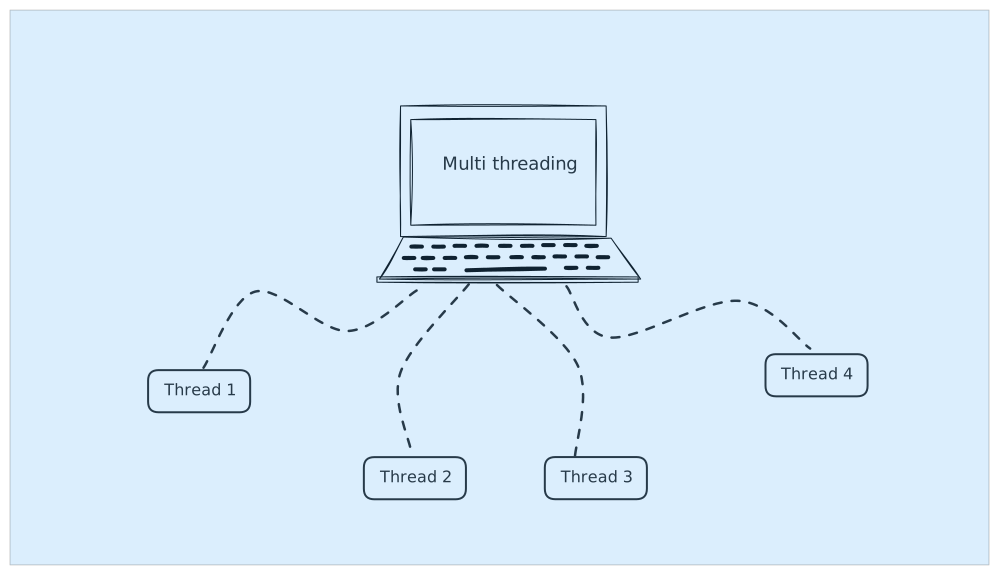
Java Multithreading Coding Questions for Interviews: Classic Problems and Solutions
Master the most common multithreading interview questions including Producer-Consumer, Dining Philosophers, and FizzBuzz problems with practical Java implementations.
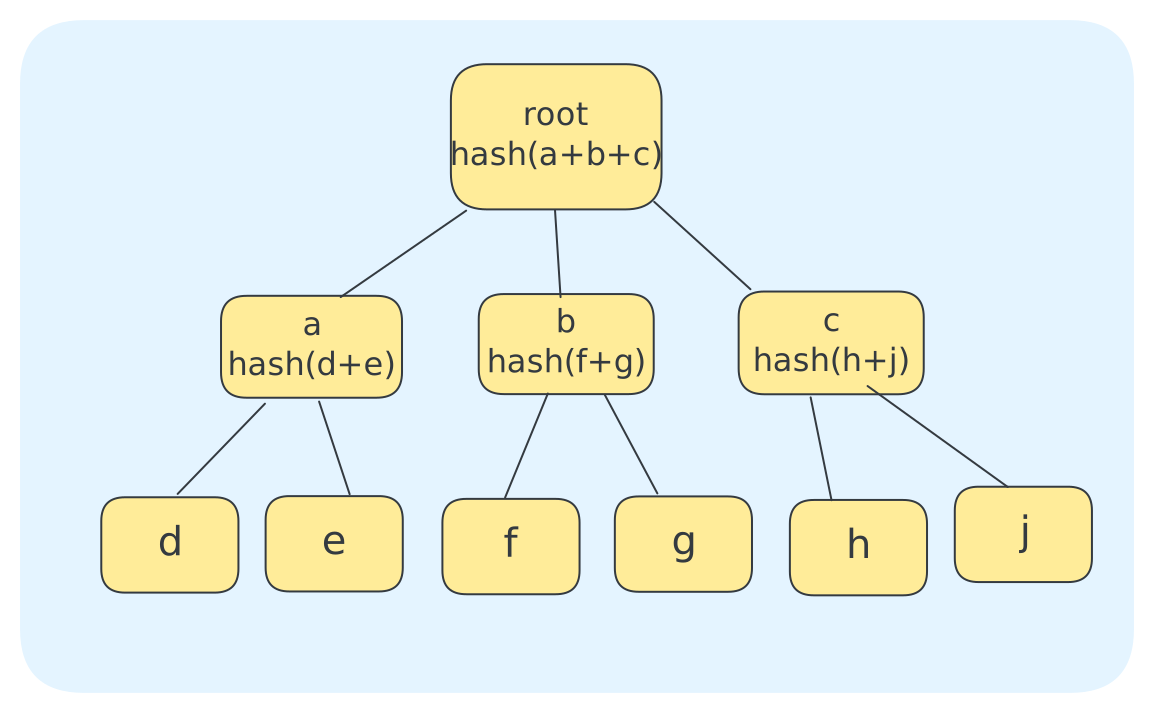
Merkle Trees: Implementation in Java and Real-World Applications
A comprehensive guide to Merkle Trees with Java implementation, practical applications in blockchain, distributed systems, and data integrity verification.